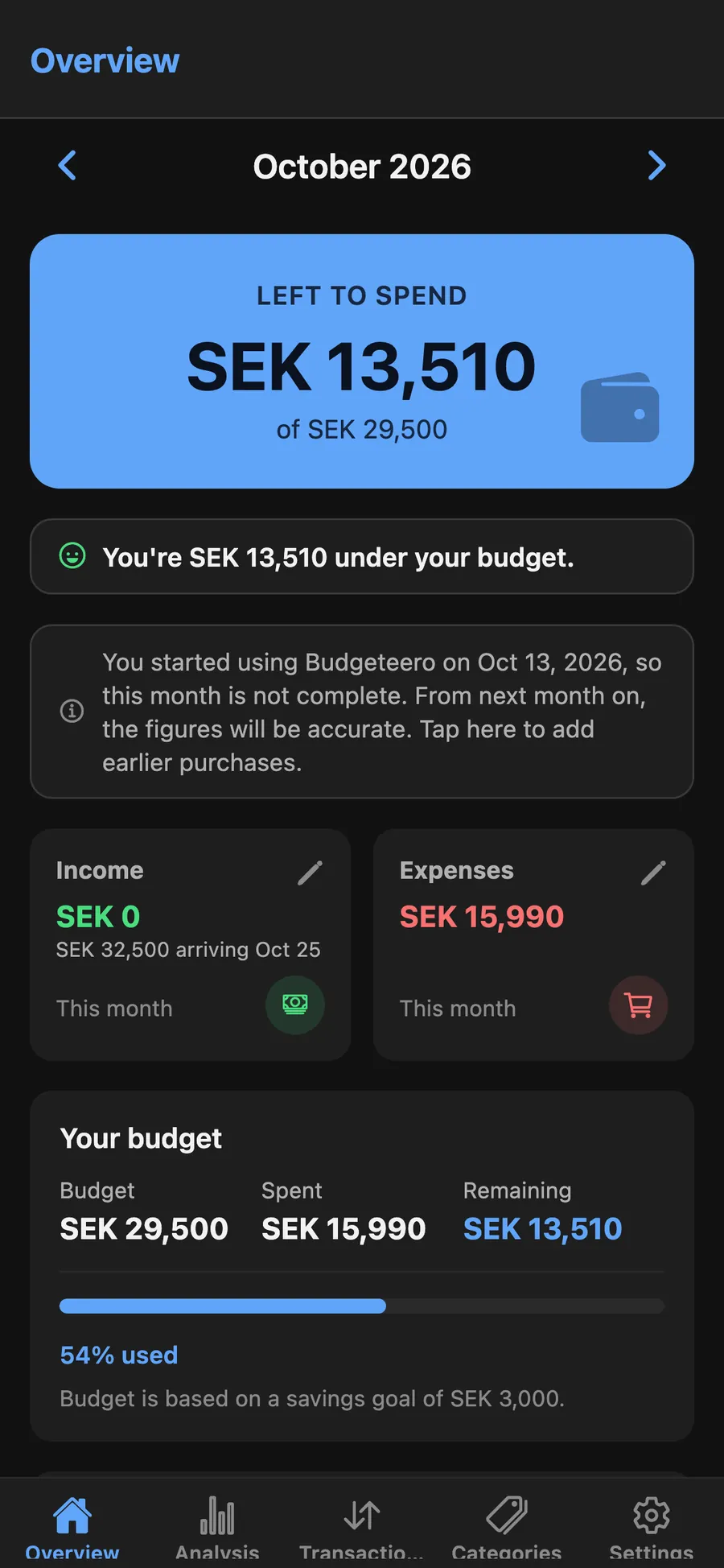
One month. One number.
Income minus spending, for the calendar month you are in. Step back when you want to look at an earlier one.


This month
Salary in. Bills that come back every month, out. What you want to save, already set aside. One number tells you the rest.
iPhone and Android · English, Swedish, Serbian
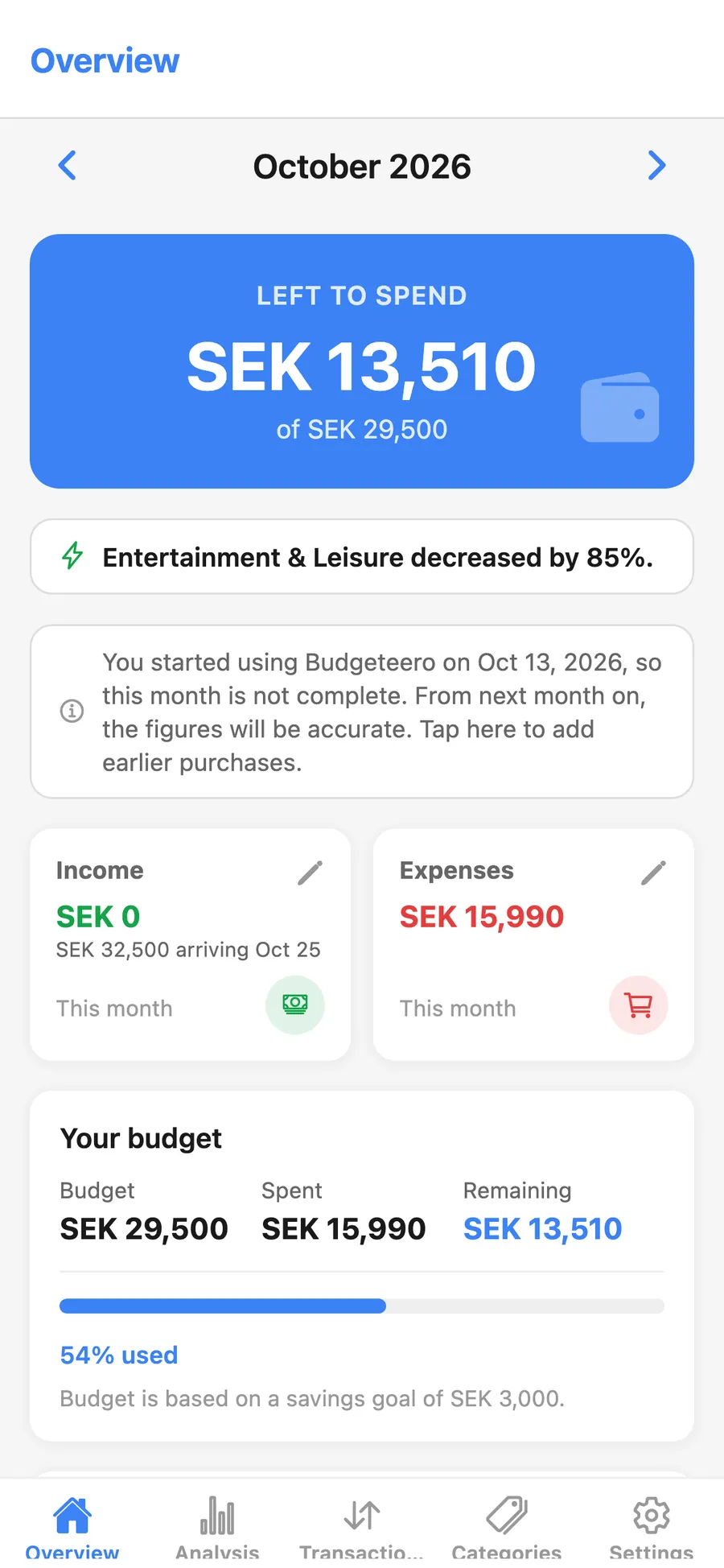
Income minus spending, for the calendar month you are in. Step back when you want to look at an earlier one.
Set a savings goal. Budgeteero takes it out before it tells you what is left to spend.
Salary, rent, and subscriptions land on the day you choose. Change one month without touching the rest.
Overview
Open Budgeteero and the first thing you see is what is left. Income and expenses sit beside it, and the budget bar shows how much of the month you have used. The number already includes the amount you planned to save.
Analysis
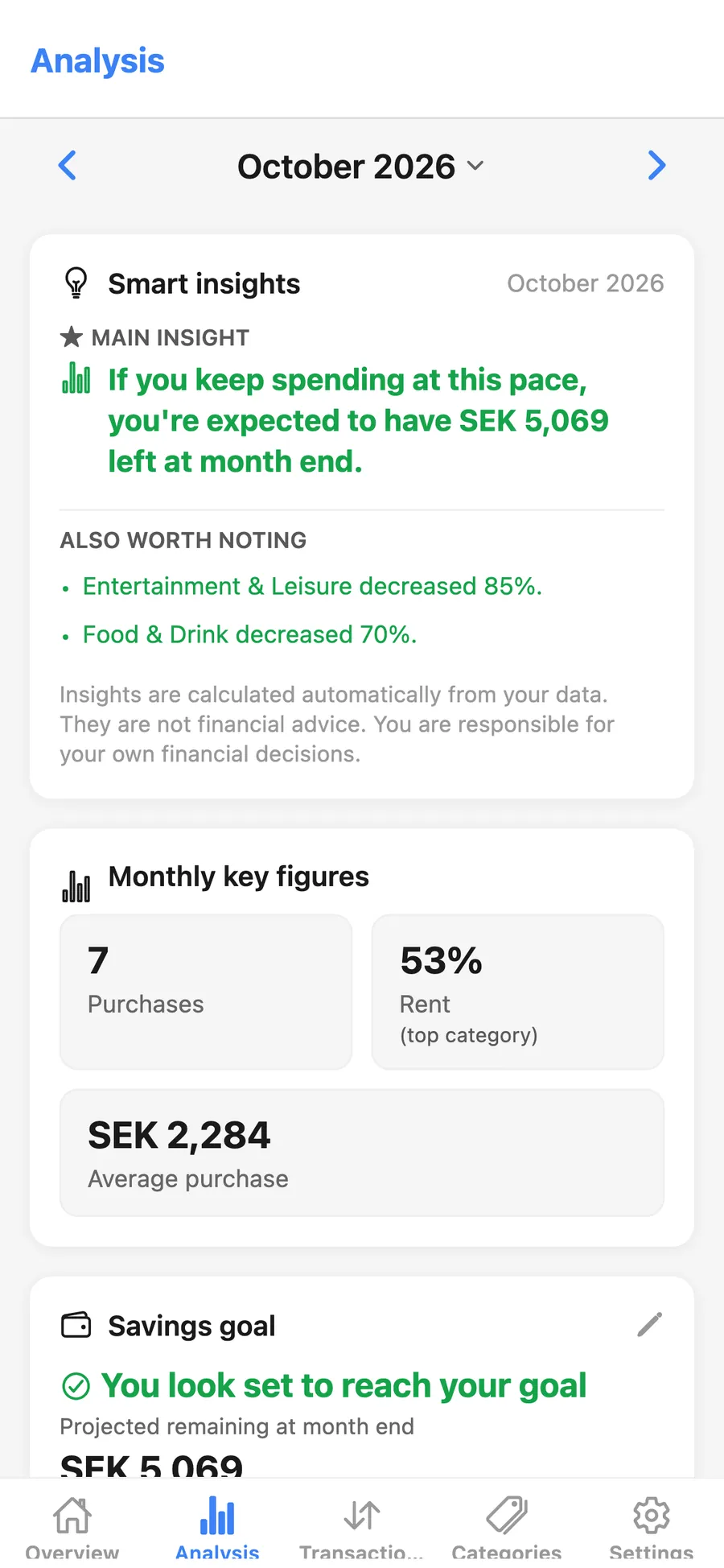
Analysis estimates what you will have left if the month continues at this pace, and which categories moved. It is calculated from your own purchases. Budgeteero is a planning tool, and the decisions stay yours.
Transactions
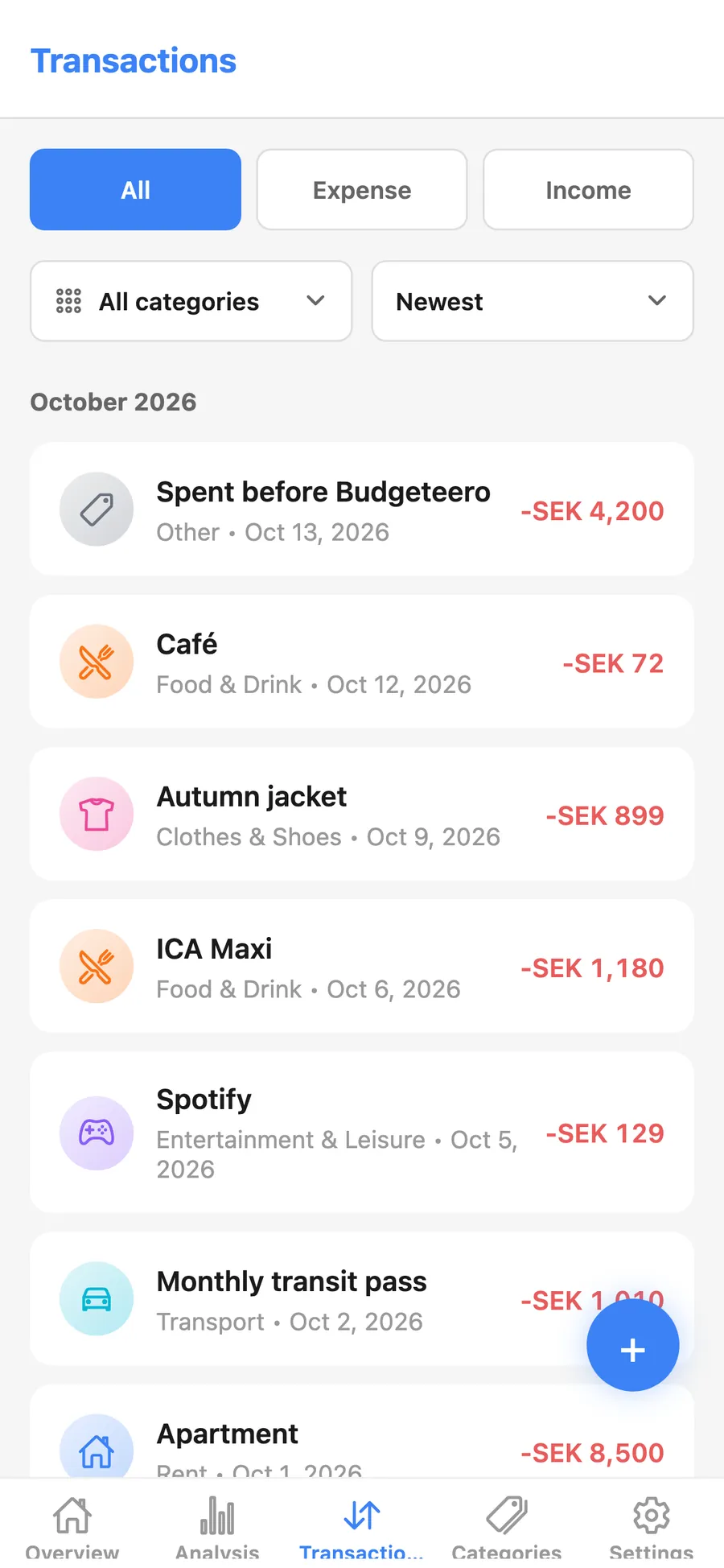
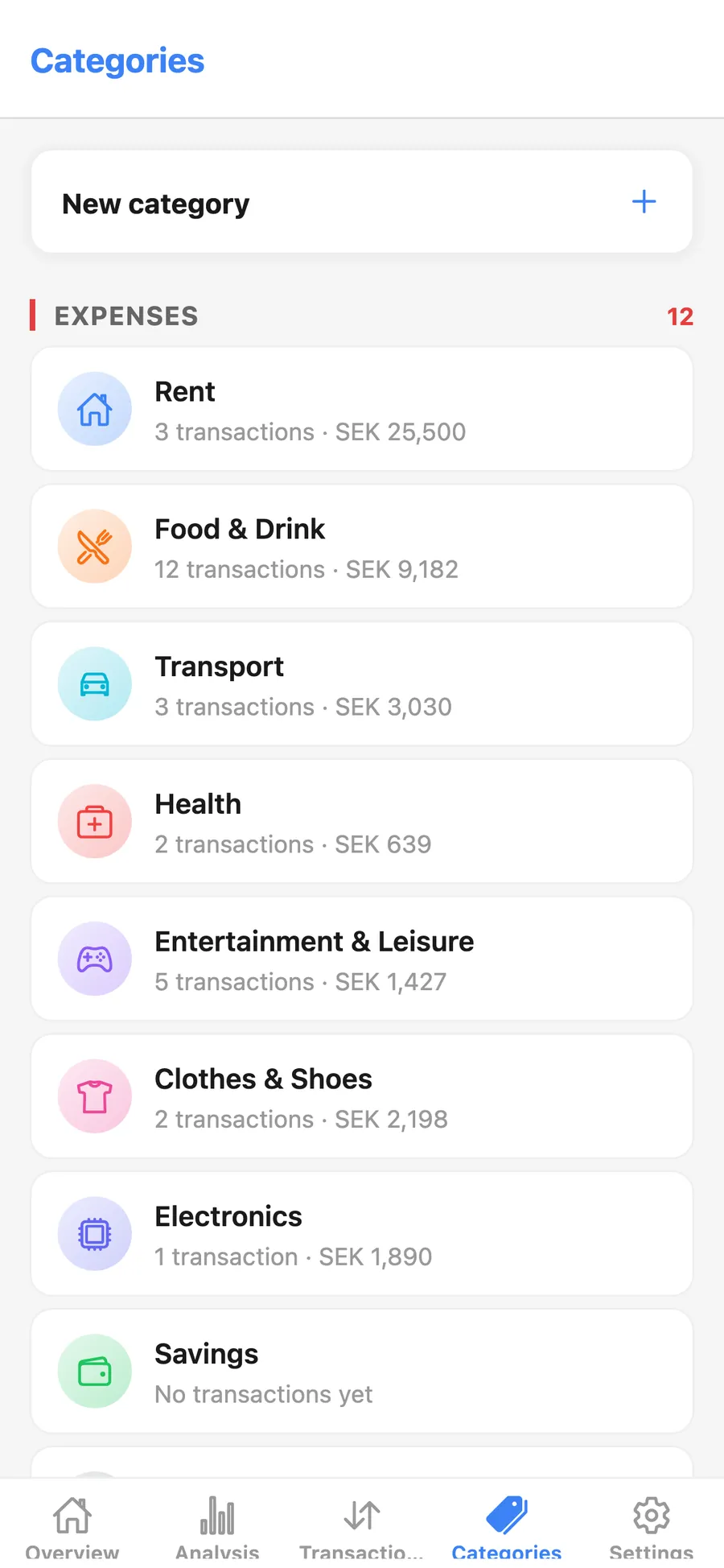
Log a coffee or a jacket when it happens. Filter expenses and income, and see rent, groceries, and the rest in categories you can rename. Started mid-month? Add what you already spent, or begin with the next purchase.
Setup
Three things, and the month has a shape. You can change any of them later.
Your salary, and the day it arrives. It repeats each month.
Rent, loans, subscriptions. Each one gets a category, an amount, and a day.
What you want to set aside. The budget is built around it.
Same budget in light or dark. Switch any time. The figures stay on your account, and you can open them on iPhone or Android.